You run claude on a large refactor. The cursor sits there. A minute passes, then two, and finally you get Request timed out. Meanwhile a one-line question you asked five minutes ago came back instantly. If that sounds familiar, the problem almost certainly isn't your machine, your API key, or the model. It's the network path your packets travel to reach the API.
Most timeout advice tells you to trim context, switch models, or restart the session. That fixes a real slice of cases. But it can't explain the thing that trips people up most: the exact same command succeeds from your phone hotspot and fails from your office. Same prompt, same CLI, different route. When that happens, no amount of prompt tuning will help, because the bytes never made it cleanly across the wire. That's the layer this guide is about.
The three setups where this keeps happening
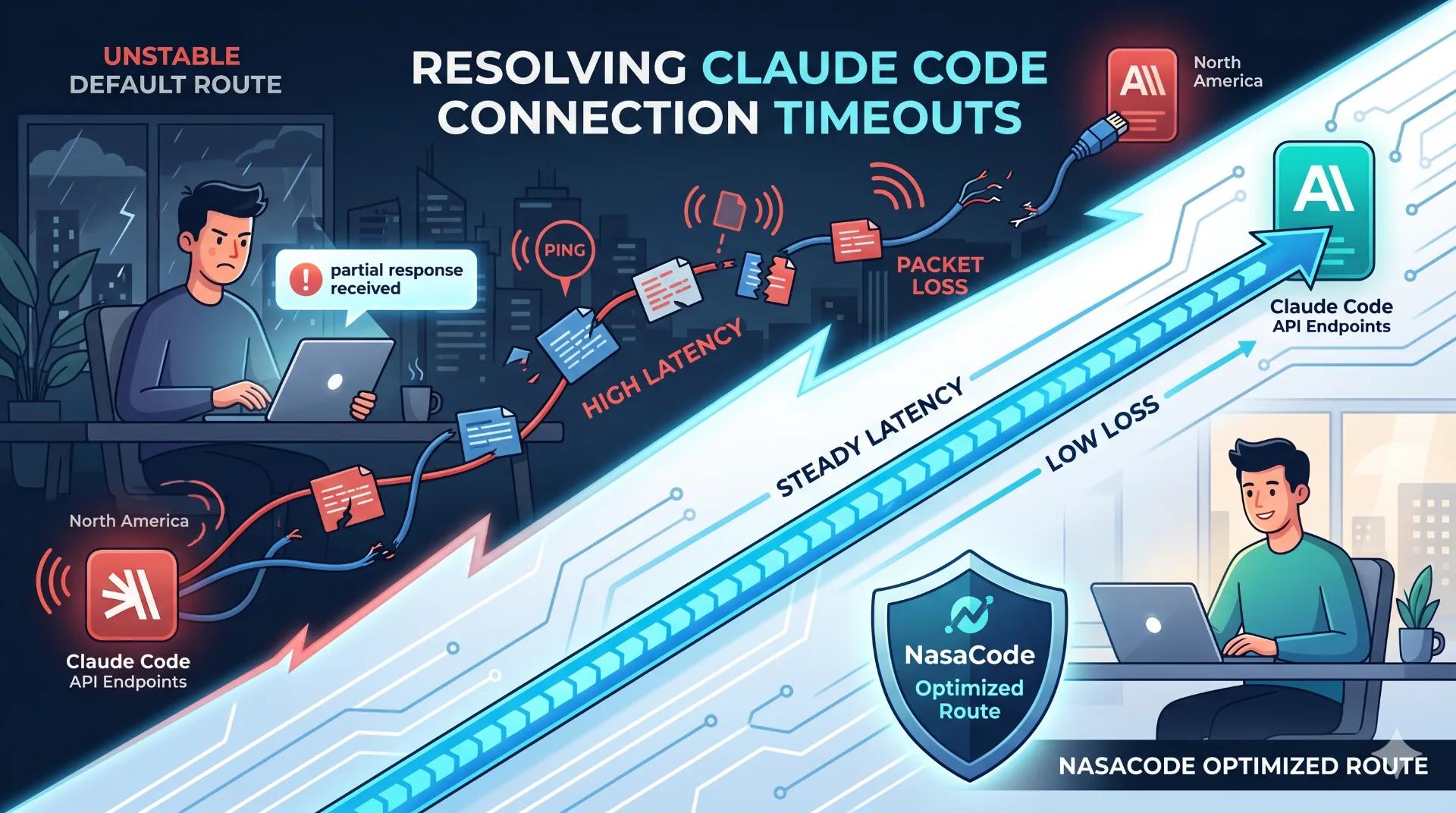
The first is distance. An engineer in Asia or Europe is working hundreds of milliseconds away from the API's North American endpoints. Short prompts squeak through. A long agent run streaming thousands of tokens back over a lossy, congested international link does not, and the stream gives up before the model finishes answering.
Then there's the corporate or campus network, which fails differently. Here you get Partial response received: the answer starts arriving and then just stops. A proxy is buffering the server-sent event stream, or a firewall is killing idle sockets the moment the model pauses to think. The model was mid-sentence; the connection got cut.
The third is headless and CI usage. An agent fires off dozens of sequential tool calls, and one stalled round trip is enough to cascade into a failed job. No human is watching to retry it.
Different symptoms, one root cause: the request never reached a clean finish, so the client walked away.
Diagnosing it
First, confirm it's actually a timeout
Claude Code gives a request a generous window to complete, on the order of ten minutes. So a genuine timeout means the stream produced nothing usable in all that time, not that the model was a bit slow. Worth ruling out the boring stuff first: claude --version to confirm you're current, then /doctor, which catches most misconfigurations in one pass. Now send a trivial one-line prompt. If that returns instantly but the big run dies, the link works fine and you're looking at a volume-over-weak-route problem, not an outage.
Measure the route
This is the step nearly every troubleshooting article skips, and it's the one that actually tells you something. Run ping against the API host for a baseline round-trip time, then traceroute (or better, mtr) to find where loss creeps in.
Some rough numbers worth keeping in your head:
- Under 150 ms round trip with near-zero loss is healthy. Streaming feels smooth.
- Past 250 ms with intermittent loss at some intermediate hop, long calls start tripping the timeout and short ones limp along.
- Jitter is the quiet killer. A route that swings between 80 ms and 400 ms drops streams unpredictably even when the average looks acceptable.
If mtr shows loss appearing at one specific carrier hop, you've found it. The path is the problem, and there is no client-side flag that fixes a path.
When the answer arrives half-finished
"Partial response received" is a connectivity signature, not a model error. The TLS connection carrying the streamed answer was severed before the last token arrived. Usually that's a proxy buffering the stream or an idle-socket policy that hangs up the instant the model goes quiet. Check whether a corporate proxy sits in front of your traffic, whether keep-alive is being stripped, and whether the same prompt finishes cleanly on a different network. If the reset vanishes the moment you step off the corporate link, you've isolated it.
Rule out the layers in order
Work top to bottom. The official status page tells you if the API itself is degraded. If it's green, the fault lives below the application. Re-run from a phone hotspot or any other network. If the timeout disappears, your primary route is the culprit, and you've confirmed it in under a minute.
That middle layer, between a healthy CLI and a healthy API, is exactly where NasaCode operates. Instead of letting packets wander whatever congested default path your ISP hands you, it pins traffic to an optimized route with steadier latency and lower loss, so the stream stays alive long enough for a big agent run to actually finish.
How different connection paths hold up
Not every connection is built for sustained streaming. A path that's fine for loading web pages can still drop a ten-minute agent run, because the failure mode is different.
| Path | Behavior on long streaming runs | Token / credential safety |
|---|---|---|
| Default direct connection | Fine near the API, unpredictable across long international hops | Standard |
| Free public proxy | Frequent mid-stream resets; shared and overloaded | Opaque, risky for API keys |
| Generic consumer tunnel | Tolerable but not tuned for sustained streaming | Varies by provider |
| NasaCode optimized route | Steady latency on developer-focused low-latency nodes, built for long sessions | Privacy-first, no traffic logging |
Questions that come up a lot
If I just raise the timeout limit, does that fix it?
Almost never. A longer window only helps when the stream was genuinely about to finish. If packets are being dropped or the connection keeps resetting, a bigger timeout just means you wait longer for the same failure. Fix the path first.
Would a faster laptop help?
No. A timeout is a network event. The bytes are in flight between your terminal and the API, and your CPU and RAM have nothing to do with whether that stream survives a lossy hop. They affect how fast your local tools run, not whether the response arrives.
How do I tell an outage apart from my own connection?
Check the status page. If it's healthy and a minimal prompt still stalls, the fault is on your side of the route. Re-test on a different network to be sure.
What actually keeps long agent runs from timing out?
Keeping each step's payload reasonable helps at the margins. But the thing that matters is running over a route with stable latency and low loss. A steady connection is what lets a multi-step agent hold its stream open from the first tool call to the last.
A Claude Code timeout is almost always a path problem dressed up as an application error. Stop guessing and measure the latency and loss on your route; once you do, the fix stops being mysterious. Stabilize the path and the timeouts go away.
That's the whole reason NasaCode exists: low-latency nodes tuned for the kind of sustained, streaming traffic AI coding tools generate. If your sessions keep dying mid-refactor, point your workflow through an optimized route at nasacode.com and see whether the stalls stop.